Microsoft Insights: Issue 2
Author: Sonia Older | Date published: 20th Mar, 2026 | Read est: 5 min read
Microsoft Copilot Agents and March 2026 Updates
Microsoft’s pace of change hasn’t slowed. If anything, it’s accelerating.
In the last issue, we focused on how Copilot is becoming embedded across Microsoft 365. This month, that story moves forward. Microsoft is now shifting from AI that supports work to AI that can start to act on it.
This month covers:
- Microsoft’s “Frontier” AI vision
- The introduction of agents across Microsoft 365
- GPT-5.3 integration in Copilot
- New Copilot experiences in Outlook
- Continued updates across Teams, Power Platform and security
Microsoft 365 Copilot Updates
What’s new?
From assistant to agent: Microsoft’s Frontier vision
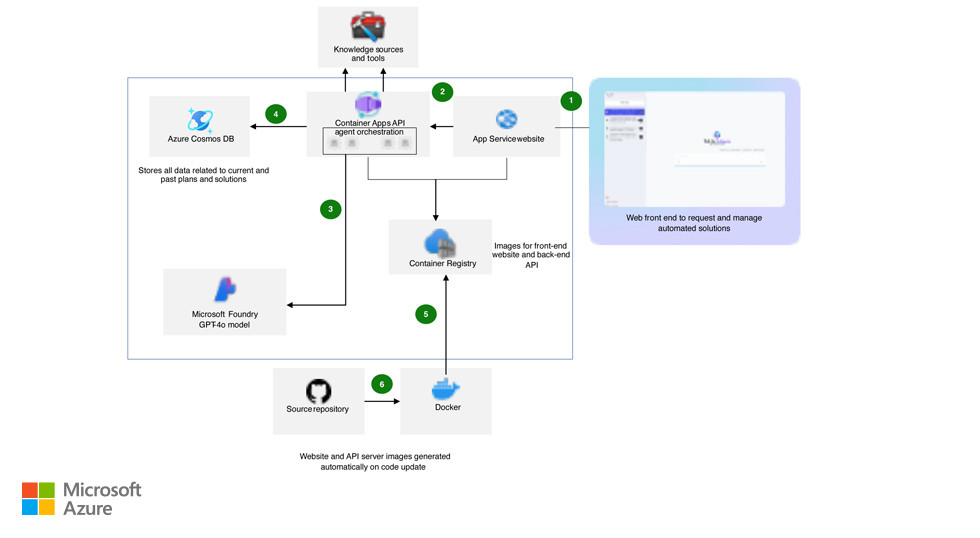
Microsoft has formally introduced its next phase for Copilot, centred around AI agents. Rather than simply helping users complete tasks, Copilot is evolving to take action across systems.
These agents can plan, execute and manage multi-step processes using business data, documents and workflows. This includes the concept of the “Frontier firm”, where AI is embedded into how work gets done, not just how it’s supported.
What does it mean for you?
- Reduces manual, multi-step work across teams.
- Moves AI from support tool to operational capability.
- Helps streamline processes across departments.
- Creates opportunities to redesign how workflows across the business.
GPT-5.3 now available in Microsoft 365 Copilot
Microsoft has introduced GPT-5.3 Instant into Copilot, improving speed, reasoning and responsiveness across tasks. This enhances how Copilot handles:
- Complex queries.
- Content generation.
- Real-time interactions across apps.
What does it mean for you?
- Faster responses when working across documents and data.
- More accurate outputs for business-critical tasks.
- Improved usability in day-to-day workflows.
Microsoft Outlook Updates
What’s new?
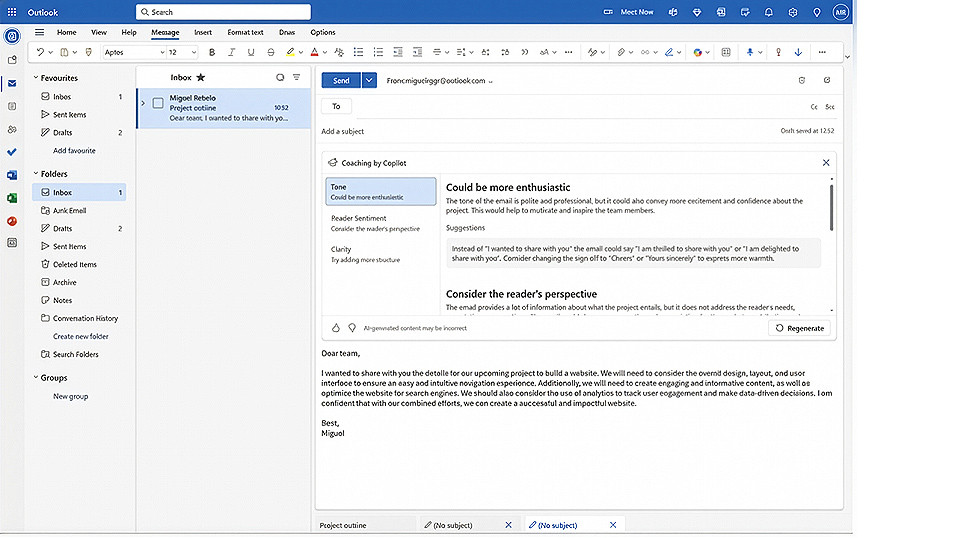
Copilot in Outlook introduces agent-based experiences
Outlook is now seeing a significant shift with Copilot moving beyond drafting emails into more proactive support. New capabilities include:
- Prioritising and managing inbox activity.
- Assisting with scheduling and calendar coordination.
- Taking action on emails based on intent.
What does it mean for you?
- Reduces time spent managing inboxes.
- Improves response times and consistency.
- Helps teams stay organised without manual tracking.
Microsoft Teams Updates
What’s new?
Ongoing improvements to collaboration and Copilot integration
Microsoft continues to enhance how Teams integrates with Copilot and the wider Microsoft 365 environment with its most recent updates focusing on:
- Better use of meeting context across apps.
- Improved collaboration with external users.
- More consistent experiences across hybrid working.
What does it mean for you?
- Stronger collaboration across internal and external teams.
- Better continuity between meetings, documents and actions.
- Improved experience for hybrid work environments.
Power BI Platform Updates
What’s new?
Copilot continues to move into business applications
Copilot is now more deeply embedded into Power Apps, allowing users to interact with business data through natural language, which brings conversational AI directly into operational systems and your team’s everyday workflows.
What does it mean for you?
- Simplifies how users interact with business applications.
- Reduces reliance on technical navigation and training.
- Speeds up access to insights and actions.
Microsoft Security and Governance Updates
What’s changing?
As Copilot and AI agents become more embedded in business processes, Microsoft is placing greater emphasis on governance, compliance and data protection, including:
- Stronger integration with Microsoft Purview.
- Enhanced visibility into how AI is used across the business.
- Continued development of security controls across Microsoft 365.
Do you need to do anything?
Yes, this is a good time to review:
- Data access and permissions.
- Copilot readiness and governance settings.
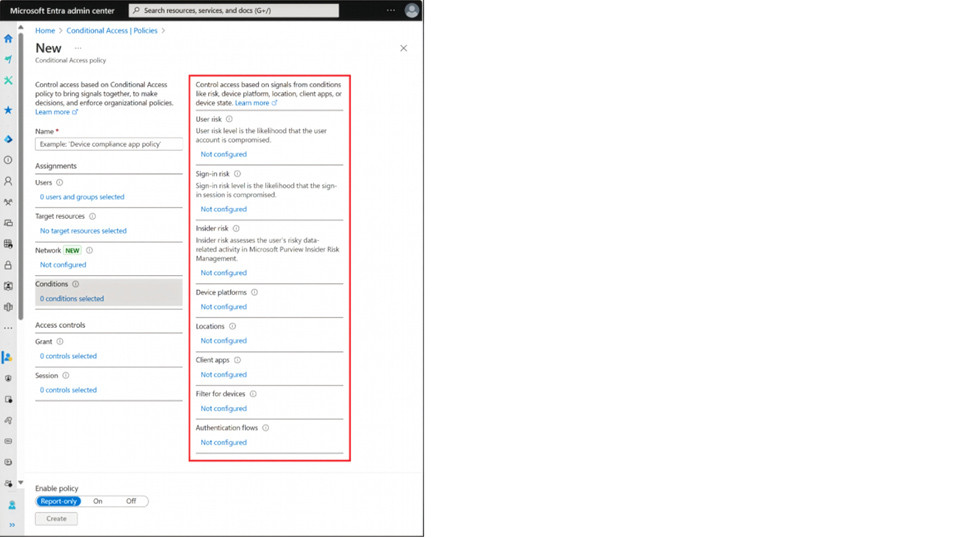
- Conditional access and compliance policies.
If these are not aligned, you risk exposing sensitive data through AI-driven workflows.
Given all of these updates – most of which impact Copilot – Microsoft’s direction is becoming clearer.
AI is not just a feature – it’s becoming an integral part of how everyone’s work is structured, managed and delivered.
Getting value from this shift towards AI enablement depends on how well your Microsoft environment is configured, governed and aligned to your business processes.
If you would like help reviewing your Microsoft environment, our specialists can help. Book a call with us and we’ll make sure you’re getting the most from your MS365 licenses.

Sonia Older
Brand & Campaign Manager
Sonia Older is the Campaign Manager at Focus Group and a highly experienced copywriter. She boasts over 20 years of experience in content marketing and PR across multiple industries, and is the key driver of content and PR for Focus Group across all UK offices. Away from work, Sonia usually swaps keyboard strokes for ski slopes in the Alps with her family.
