Microsoft Insights: Issue 1
Author: Sonia Older | Date published: 26th Feb, 2026 | Read est: 6 min read
We know it’s hard to keep up with all the changes Microsoft releases.
With each issue, we highlight the updates that matter most to your business.
This issue includes updates across:
- Microsoft 365 Copilot
- Microsoft Teams
- SharePoint and OneDrive
- Power Platform
- Intune and Security
Microsoft 365 Copilot Updates
What’s new?
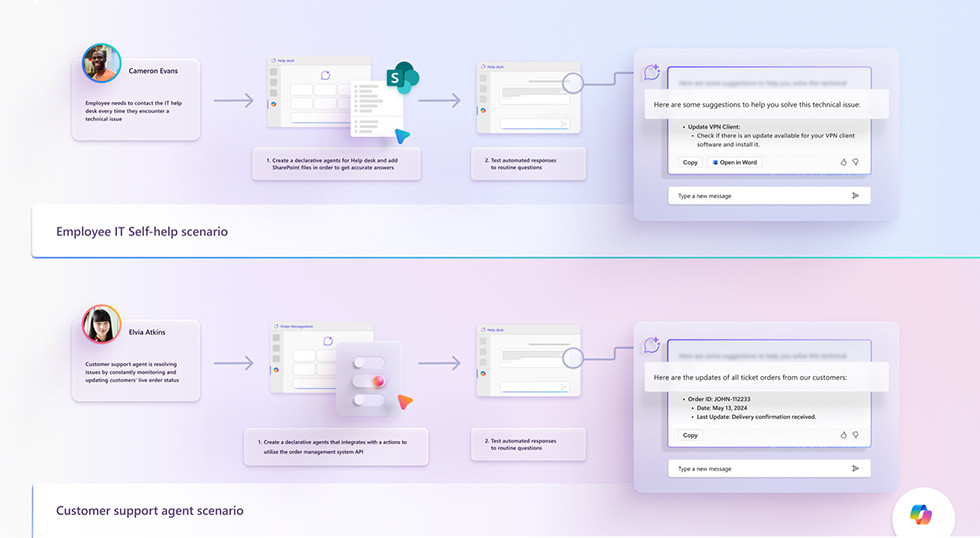
Microsoft introduced several new Copilot improvements in January 2026, designed to strengthen how people work with AI in Microsoft 365 apps.
Expanded Copilot capabilities:
- Agent Mode and new AI agents: Copilot agents help users create and refine content across Word, Excel, and PowerPoint with transparent reasoning and editing support.
- Voice chat reference memory: In the Microsoft 365 Copilot app, voice chats can now reference user memory to provide more contextual answers.
- Copilot Chat Insights expanded: The Copilot Dashboard now allows smaller tenants (just one Copilot license required) to view adoption trends and usage insights.
- Admin readiness and governance tools: New Copilot overview and readiness reports appear in the Microsoft 365 admin center, and integration with Microsoft Purview helps secure Copilot use.
Copilot in model-driven apps:
Copilot chat is now available in certain Power Apps business applications that organisations build to manage data and processes. It is currently in public preview, meaning it is available for customers to try before full release.
This enables users to ask questions and interact with business data directly inside their apps using simple, conversational language.
What does it mean for you?
- Reduces repetitive work with AI-assisted content creation.
- Improved contextual responses and insights.
- Broader admin visibility and governance for safer Copilot adoption.
- Enables Copilot as part of line-of-business processes.
Microsoft Teams updates
Although Microsoft’s official monthly summaries focus heavily on Copilot, the Microsoft 365 roadmap shows several updates relevant to Teams and Copilot workflows.
What’s new?
- Teams meeting integration with Copilot: Roadmap entries indicate that Teams meeting context can be referenced when creating presentations with Copilot in PowerPoint.
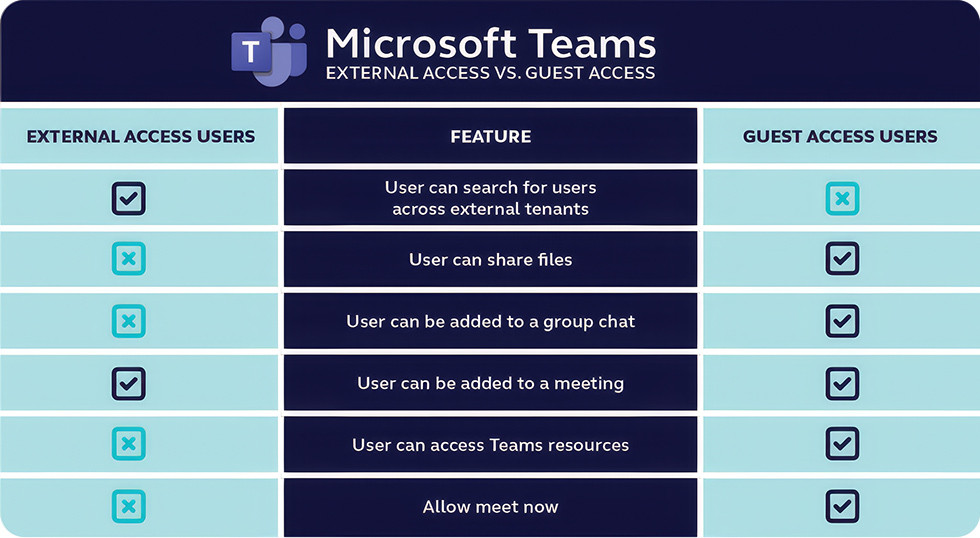
- External collaboration and guest experience continue to be refined across Teams shared channels and permissions.
What does it mean for you?
- Better integration between Teams workflows and AI-generated content.
- Smoother collaboration with external partners.
- Consistent meeting context across Microsoft 365 tools.
SharePoint and OneDrive Updates
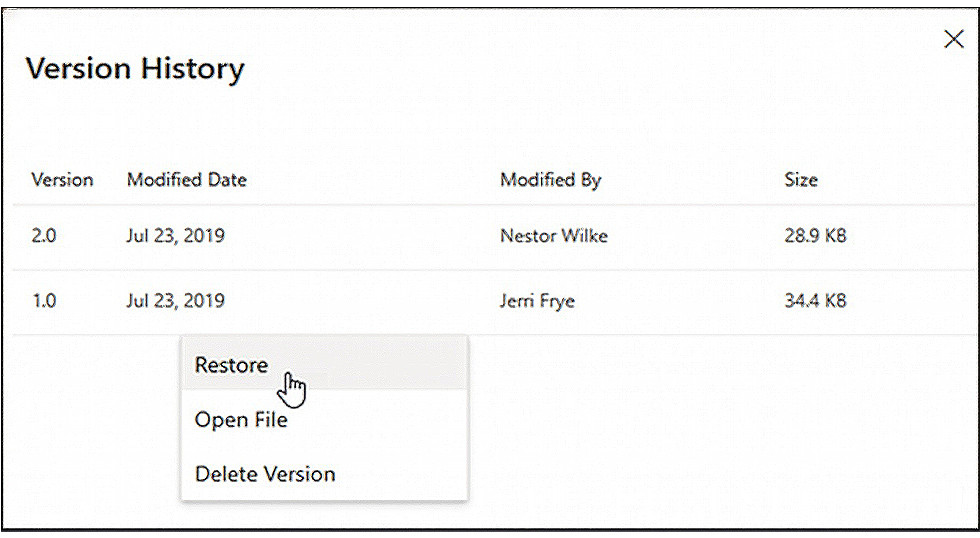
The Microsoft 365 roadmap shows ongoing improvements to file workflows and search effectiveness across SharePoint and OneDrive.
What’s new?
- Enhanced navigation and filtering within major document libraries.
- Continued investment in modern search experiences that improve findability and insights (reflected in the monthly roadmap updates).
What does it mean for you?
- Faster and more intuitive document retrieval.
- Stronger file governance and sharing controls.
- Better support for hybrid document workflows.
Power Platform Updates
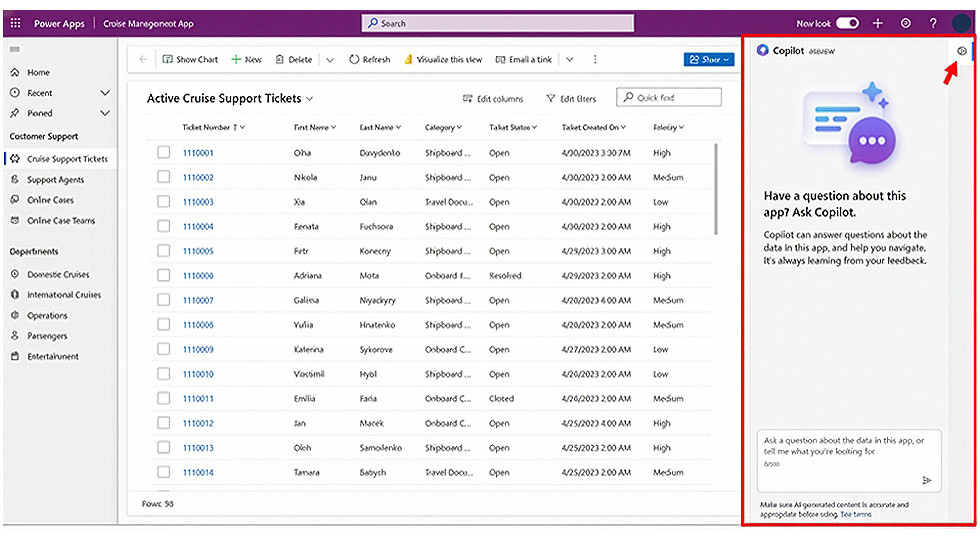
We mentioned this earlier - Copilot chat is available in model-driven Power Apps, letting users interact conversationally with data and processes without leaving the app.
Take this real-world scenario. Now, an agent in the Cruise business screenshotted below can survey all support tickets to find direct insights in an instant, instead of manually sifting through each individual ticket.
What does it mean for you?
- Streamlines workflows within business-specific apps.
- Reduces context switching between apps and AI tools.
- Adds value to custom business processes.
Security and Intune Updates
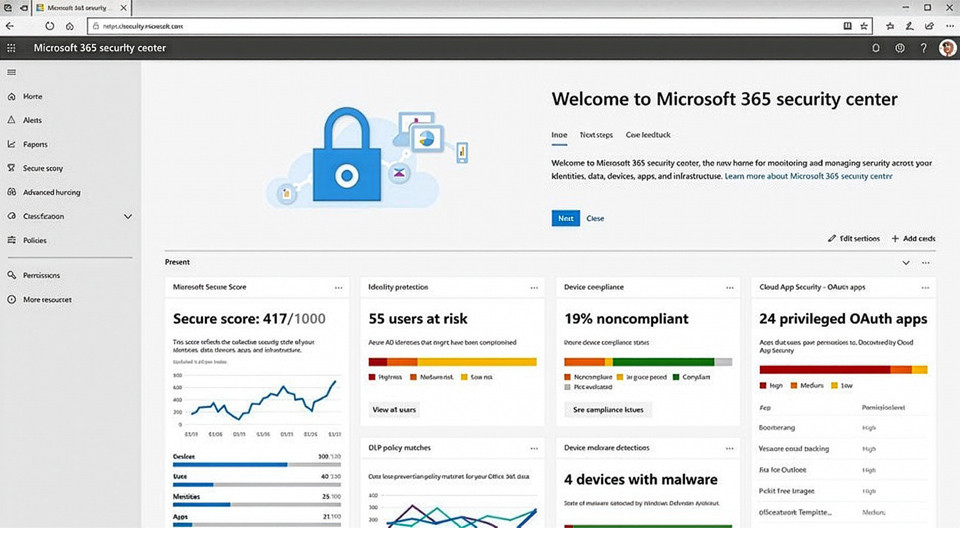
There is no official monthly Microsoft security update roundup, but security remains a core focus across platforms with ongoing patches and patches for Office products.
What’s new?
- Updated best practice recommendations continuing from Microsoft’s Defender and Purview services as part of broader Copilot governance. Official monthly security release notes for Microsoft 365 Apps list.
What does it mean for you?
- Keep managed devices updated with the latest enforcement policies.
- Review conditional access and security posture settings regularly.
- Apply monthly security updates from Microsoft to reduce risk exposure.
Updates across the Microsoft suite are a constant wave of new features and security updates and finding the value in them depends on how they are configured and managed – let alone whether you’re aware of them or not.
So, if you would like help reviewing your Microsoft environment, book a call with us and our specialists can provide a structured assessment and clear recommendations to ensure you are gaining maximum value from your Microsoft investment.
References
- https://techcommunity.microsoft.com/blog/microsoft365copilotblog/what%E2%80%99s-new-in-microsoft-365-copilot--january-2026/4488916
- https://www.microsoft.com/en-us/power-platform/blog/power-apps/whats-new-in-power-platform-february-2026-feature-update/
- https://www.microsoft.com/en-gb/microsoft-365/roadmap
- https://support.microsoft.com/en-us/topic/february-2026-updates-for-microsoft-office-e942a20a-8288-407a-ad91-878a7fc09805
- https://learn.microsoft.com/en-us/officeupdates/microsoft365-apps-security-updates

Sonia Older
Brand & Campaign Manager
Sonia Older is the Campaign Manager at Focus Group and a highly experienced copywriter. She boasts over 20 years of experience in content marketing and PR across multiple industries, and is the key driver of content and PR for Focus Group across all UK offices. Away from work, Sonia usually swaps keyboard strokes for ski slopes in the Alps with her family.
